
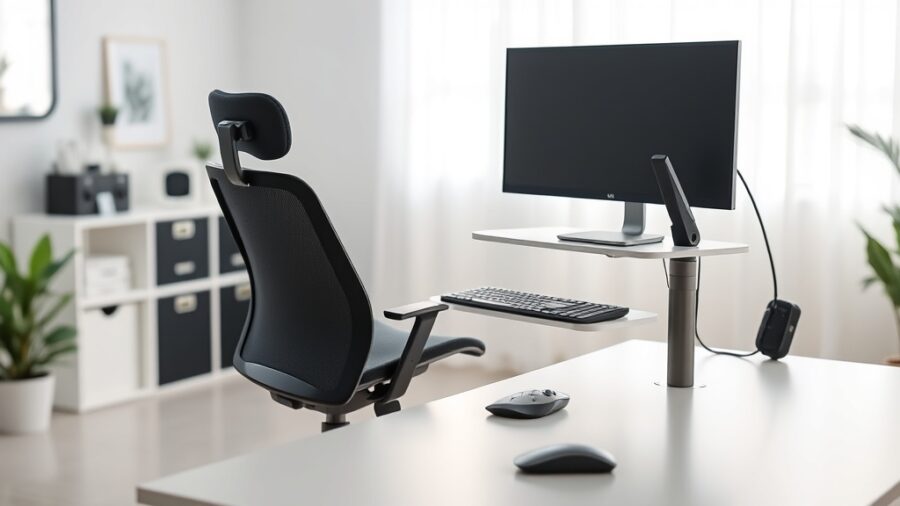
Ergonomic Workspace Setup Guide: Creating a Comfortable Work Environment
In today’s fast-paced work environment, having an ergonomic workspace setup is more crucial than ever. As many individuals spend long hours at their desks, the risk of developing musculoskeletal disorders and other health issues increases significantly. This guide will provide you with a comprehensive understanding of how to set up an ergonomic workspace that promotes comfort, efficiency, and well-being.
Throughout this article, you will learn about the fundamental principles of ergonomics, the key elements that contribute to an ergonomic workspace, and practical tips on choosing the right furniture and arranging your desk. By the end, you will have a clear roadmap to create a workspace that not only enhances productivity but also prevents discomfort and injury.
Understanding ergonomics is the first step toward a healthier workspace. This guide will explain how proper desk arrangement, optimal computer setup, appropriate lighting, and regular breaks can transform your work environment. Let’s dive into the essentials of ergonomic workspace setup.
Understanding Ergonomics
The Definition of Ergonomics
Ergonomics is the scientific discipline focused on understanding interactions among humans and other elements of a system. Its goal is to optimize human well-being and overall system performance. In a workspace context, this means designing work environments that fit the user’s needs, thereby reducing the risk of injury and enhancing productivity.
The Importance of Ergonomics in the Workplace
Implementing ergonomic principles in the workplace is vital for various reasons. Studies show that proper ergonomics can lead to a significant reduction in work-related injuries, with a report by the U.S. Bureau of Labor Statistics indicating that musculoskeletal disorders accounted for 33% of all worker injury cases in 2020. An ergonomic workspace not only helps in minimizing these injuries but also boosts employee morale and productivity.
Key Elements of an Ergonomic Workspace
Furniture Selection
Choosing the right furniture is one of the most critical aspects of an ergonomic workspace setup. The chair should provide adequate lumbar support, have adjustable seat height, and allow for proper posture. A desk that accommodates both sitting and standing positions is also beneficial. For instance, a sit-stand desk allows users to alternate between sitting and standing, which can enhance comfort throughout the workday.
Workspace Layout
The layout of your workspace should facilitate easy movement and accessibility to tools and resources. A well-organized workspace minimizes the need for excessive reaching or twisting, which can lead to discomfort. For example, frequently used items should be within arm’s reach, while less commonly used items can be stored further away. Proper spacing between furniture also allows for easy navigation and reduces the risk of accidents.
| Furniture Type | Key Features | Benefits |
|---|---|---|
| Ergonomic Chair | Lumbar support, adjustable height | Improves posture, reduces back pain |
| Height-Adjustable Desk | Sit-stand functionality | Encourages movement, enhances comfort |
| Monitor Stand | Adjustable height | Reduces neck strain, improves viewing angle |
Choosing the Right Furniture
Chairs That Promote Comfort
When selecting an ergonomic chair, consider features such as adjustable armrests, seat depth, and material. A chair with adjustable armrests allows you to keep your arms at a comfortable angle while typing. Additionally, the seat should be deep enough to support your thighs without restricting circulation. Material also plays a role; breathable fabrics can enhance comfort during long working hours.
Desks and Their Configurations
Desks come in various shapes and sizes, and choosing the right one is essential for an ergonomic setup. For instance, L-shaped desks provide ample workspace while allowing for easy access to different areas. Additionally, ensure that your desk height is suitable for your chair to maintain a 90-degree angle at your elbows while working.
Proper Desk Arrangement
Optimal Monitor Positioning
Positioning your monitor correctly is crucial to avoid neck strain. The top of the monitor should be at or slightly below eye level, enabling you to maintain a natural head position. The screen should be about an arm’s length away, reducing eye strain and promoting better focus. Utilizing monitor stands or adjustable arms can help achieve this positioning.
Keyboard and Mouse Placement
Both keyboard and mouse should be positioned to allow for a relaxed wrist position. Ideally, your elbows should be at a 90-degree angle, and your wrists should be straight while typing. A wrist rest can provide additional support and comfort. Furthermore, consider using a mouse pad with wrist support to further reduce strain during extended computer use.
| Monitor Placement Tips | Keyboard and Mouse Tips |
|---|---|
| Top of monitor at eye level | Keep elbows at 90 degrees |
| Screen 20-30 inches away | Use wrist support |
| Minimize glare from windows | Position mouse close to keyboard |
Optimal Computer Setup
Adjusting Screen Brightness and Contrast
Proper screen brightness and contrast settings can significantly impact your comfort and reduce eye strain. Aim for a brightness level that matches your surrounding environment, and adjust the contrast to ensure text is clear and easy to read. Regular breaks from the screen are also essential, following the 20-20-20 rule: every 20 minutes, look at something 20 feet away for 20 seconds.
Utilizing Ergonomic Accessories
Incorporating ergonomic accessories can enhance the comfort of your workspace. Items such as a footrest can help maintain proper posture by providing support for your feet. Additionally, using a document holder can reduce neck strain by keeping reference materials at eye level. Investing in these accessories can lead to greater overall comfort and productivity.
Lighting and Ambiance
The Role of Natural Light
Natural light is essential for maintaining a healthy work environment. Studies indicate that exposure to natural light can improve mood and productivity. If possible, position your workspace near windows to take advantage of daylight. However, be mindful of glare on computer screens and use blinds or curtains to control the amount of light entering the space.
Artificial Lighting Considerations
When natural light is insufficient, artificial lighting plays a crucial role in creating a comfortable work environment. Choose adjustable desk lamps that provide direct lighting without causing glare. Soft, warm light is generally preferable, as it reduces eye strain and creates a more inviting atmosphere. Additionally, consider using LED bulbs, which consume less energy and have a longer lifespan.
| Lighting Type | Advantages |
|---|---|
| Natural Light | Improves mood, enhances productivity |
| LED Lighting | Energy-efficient, long-lasting |
| Adjustable Desk Lamps | Targeted lighting, reduces glare |
Taking Breaks and Stretching
The Importance of Regular Breaks
Taking regular breaks is crucial for maintaining focus and preventing fatigue. Studies have shown that short breaks during long tasks can improve overall performance and reduce the risk of burnout. Incorporate short, frequent breaks into your work routine to stand up, walk around, or simply stretch. This practice can significantly enhance your comfort and productivity.
Stretching Exercises for the Workplace
Incorporating stretching exercises into your daily routine can alleviate tension and improve flexibility. Simple stretches, such as neck rolls, shoulder shrugs, and wrist stretches, can be performed at your desk and take only a few minutes. Consider setting a timer to remind yourself to stretch every hour, promoting better circulation and reducing stiffness.
Implementing Ergonomic Practices
Creating an Ergonomic Culture
Implementing ergonomic practices in your workplace requires a cultural shift toward prioritizing employee well-being. Encourage open communication about discomfort and provide resources for employees to address ergonomic concerns. Offering training sessions on proper ergonomics and workspace setup can foster a healthier work environment.
Continuous Evaluation and Adjustment
Ergonomics is not a one-time consideration; it requires continuous evaluation and adjustment. Regularly assess your workspace setup and be open to making changes as needed. Encourage feedback from employees on their experiences, and be proactive in addressing any ergonomic issues that arise.
Conclusion
In conclusion, establishing an ergonomic workspace is essential for promoting health, comfort, and productivity. By understanding the principles of ergonomics and implementing best practices in furniture selection, workspace layout, and computer setup, you can create an environment that supports your well-being. Regular breaks and stretching are also vital components of a successful ergonomic strategy.
As you embark on your journey to create an ergonomic workspace, remember that small adjustments can lead to significant improvements in comfort and efficiency. By prioritizing ergonomics, you are investing in your health and productivity, ultimately benefiting both yourself and your organization.
FAQ about Ergonomic Workspace Setup
1. What is the best height for my desk?
The ideal desk height allows your elbows to remain at a 90-degree angle while typing, with your forearms parallel to the ground. Typically, this height is around 28 to 30 inches for standard desks, but it may vary based on individual height.
2. How often should I take breaks during work?
It is recommended to take a short break every 60-90 minutes. During these breaks, stand up, stretch, or walk around to prevent fatigue and promote circulation.
3. Can an ergonomic workspace improve productivity?
Yes, an ergonomic workspace can significantly enhance productivity by reducing discomfort and fatigue. Comfortable employees are more focused and efficient, leading to better overall performance.
4. What are some simple exercises I can do at my desk?
Simple desk exercises include neck rolls, shoulder shrugs, wrist stretches, and seated leg extensions. These stretches can alleviate tension and improve flexibility without requiring significant time away from your desk.
5. How can I adjust my monitor for better ergonomics?
To adjust your monitor, position it so the top of the screen is at or just below eye level, approximately 20-30 inches away from your eyes. This setup helps maintain a neutral neck position and reduces eye strain.
Recap
- Ergonomics optimizes human well-being and productivity.
- Choosing the right furniture is crucial for comfort.
- Proper desk arrangement minimizes strain and enhances efficiency.
- Regular breaks and stretches are essential for overall well-being.
- Creating an ergonomic culture promotes health in the workplace.
- Continuous evaluation of your workspace is necessary for optimal ergonomics.
- Natural and artificial lighting plays a significant role in comfort.
- Investing in ergonomic accessories can enhance your workspace setup.